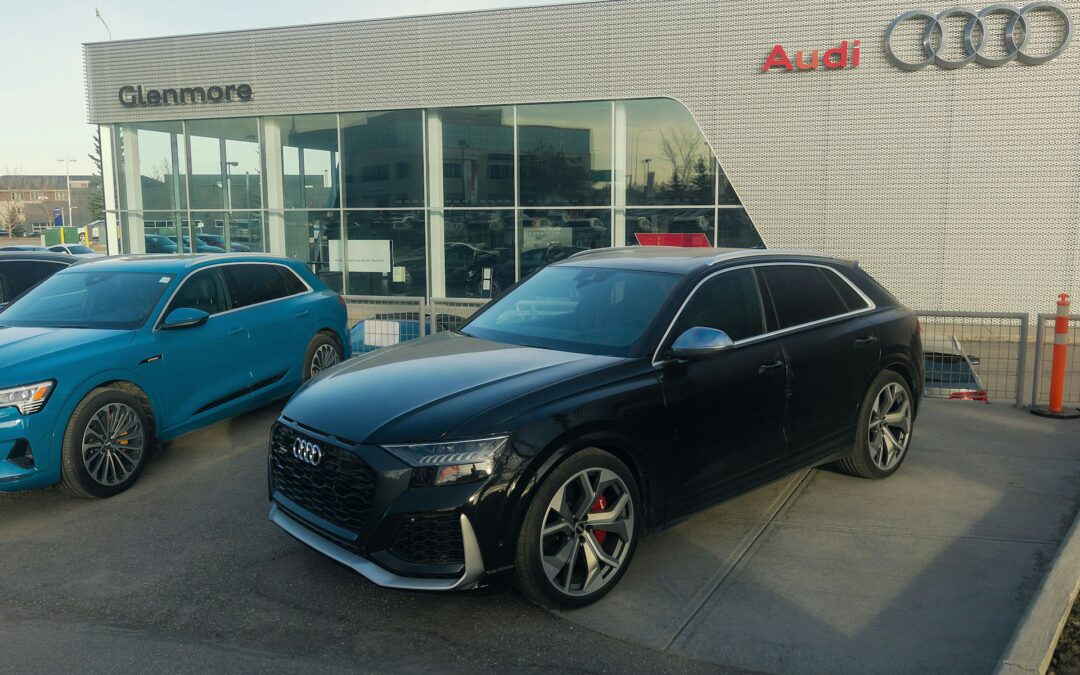

Google Vehicle Ads (GVA) represent a transformative opportunity for automotive dealerships to showcase their entire inventory directly within Google’s search and shopping ecosystem. These AI-powered ads display real-time vehicle listings with essential information like make, model, price, and mileage, connecting in-market shoppers directly to Vehicle Description Pages (VDPs). For dealers struggling with fragmented advertising or outdated inventory promotions, GVA offers a precision solution that drives qualified leads while reducing wasted ad spend. Demand Local’s automotive inventory marketing platform seamlessly integrates with Google’s requirements to automate this process, ensuring your most relevant vehicles appear before the right buyers at the optimal moment.
Key Takeaways
- Advertisers saw about 25% more conversions in early testing
- Implementation requires technical integration of vehicle data feeds, Google Merchant Center, and Performance Max campaigns
- Success depends on maintaining accurate, real-time inventory data and compliant landing pages with required vehicle information
- High-quality images can improve click-through rates
- Dealers must be authorized/registered dealer to qualify for the program
What Are Google Vehicle Ads and How They Transform Car Dealer Marketing
Google Vehicle Ads (GVA) are a performance-focused, lower-funnel advertising format specifically designed for automotive retailers. Unlike traditional text-based search ads, GVA displays actual vehicle inventory with compelling visuals and key specifications. With Performance Max, vehicle inventory can be eligible to serve across Google properties; however, vehicle ads are most prominent on Search. Surfaces vary by eligibility and format.
This format evolved from Google’s Vehicle Listing Ads into Performance Max in 2023, significantly expanding potential reach across Google’s ecosystem.
The core value proposition is simple yet powerful: show only available inventory to shoppers actively searching for vehicles. When a user searches for “2024 Honda CR-V near me” or “used Ford F-150 under $30,000,” Google’s AI-powered system automatically matches their query to relevant vehicles in your inventory feed, displaying the most appropriate listings with real-time pricing and availability information.
Key Benefits for Dealerships
The advantages of GVA over traditional automotive advertising methods are substantial:
- Higher quality leads: Showing vehicle details before the click ensures visitors arrive at your VDP already informed about the specific vehicle, resulting in more qualified leads
- Omnichannel presence: Performance Max campaigns automatically distribute your inventory across Google’s ecosystem without manual campaign creation for each channel
- Automated optimization: Google’s machine learning continuously tests different combinations of your vehicle assets to create high-performing ads, adjusting bids and targeting based on conversion likelihood
- Reduced manual management: Once properly configured, the system handles much of the day-to-day optimization, freeing your team to focus on closing deals rather than managing campaigns
Case studies demonstrate the tangible impact: Asbury case and Pacific Honda case show meaningful gains in clicks and conversions tied to vehicle ads.
Setting Up Your Google Merchant Center for Vehicles for Sale
Before you can launch Google Vehicle Ads, you must establish a Google Merchant Center account specifically configured for automotive inventory. This isn’t just a standard Merchant Center account—it requires specific setup steps and compliance with vehicle-specific policies.
Account Requirements
Google restricts Vehicle Ads to eligible dealerships with specific qualifications:
- Licensed dealership in your operating region
- Compliance with Google’s Shopping and vehicle ads policies (private sellers aren’t eligible)
- Typically, one Merchant Center account per country/state with multi-location management within that account
- Clear and accurate business information on your website and Google Business Profile
These requirements ensure that only legitimate automotive retailers can participate in the program, maintaining trust and quality for consumers.
Initial Configuration Steps
Setting up your Merchant Center account for vehicles involves several critical steps:
- Create your account: Visit Google Merchant Center and select “Vehicles” as your product category during setup
- Verify business information: Provide accurate dealership name, address, phone number, and website URL that matches your Google Business Profile
- Link Google accounts: Connect your Google Ads account and Google Business Profile to your Merchant Center account
- Complete website verification: Ensure your website displays required information including dealership name, location, vehicle price, MSRP, VIN, mileage, and availability
- Pass policy review: Google will review your account and website for eligibility and policy compliance; you may be required to validate business details
Approval timelines vary; allow time for account and website review to ensure compliance before approval.
Creating and Optimizing Your Vehicle Inventory Feed
The vehicle inventory feed is the heart of your Google Vehicle Ads campaign. This data feed contains all information about your available vehicles that Google uses to match your inventory with relevant shopper queries. The quality and completeness of your feed directly impact your ad performance and eligibility.
Required vs Optional Fields
Google requires specific attributes for each vehicle in your feed. Common required attributes include:
- id (typically VIN)
- title (make, model, year)
- link (VDP URL)
- image_link (high-quality photo)
- price
- condition (new or used)
- brand (make)
- model
- year
- mileage (for used vehicles)
Recommended attributes that can improve performance:
- exterior color, interior color, fuel type, transmission, body style, drivetrain, trim
For the most current and complete list, see Google’s vehicle feed specification.
Feed Update Frequency
Keeping your inventory feed current is critical for GVA success. Update your feed refresh every 4 hours (or at least daily) to reflect:
- New arrivals
- Price changes
- Sold vehicles (to prevent showing unavailable units)
- Updated vehicle details
Demand Local’s LinkOne Data Platform automatically syncs your inventory, pulling the right VIN, price, and imagery into live ads, ensuring accuracy and compliance while minimizing wasted impressions.
Connecting Google Ads Campaigns to Your Vehicle Inventory
Once your Merchant Center account is approved and your vehicle feed is uploading successfully, you can create Performance Max campaigns for vehicle inventory.
Campaign Types for Dealers
Google has transitioned Vehicle Listing Ads to Performance Max, which offers:
- Cross-channel optimization
- AI-powered bidding
- Asset grouping and automated creative testing
- Simplified campaign management
To create a campaign:
- In Google Ads, select Campaigns and click the plus button
- Choose Performance Max as your campaign type
- Link your vehicle-enabled Merchant Center account and select the vehicle inventory source (UI phrasing may vary)
- Set your daily budget
- Configure conversion tracking for leads and store visits
- Launch your campaign
Budget Planning Guidelines
Effective GVA campaigns require adequate budgets for optimization:
- There’s no official minimum; many advertisers start with typical starter ranges (e.g., $20–$100/day depending on market) and scale with performance and inventory
- Increase budgets by 20–30% weekly if you’re hitting limits and seeing positive ROI
- Adjust for seasonality and market competitiveness
- Expect higher budgets in more competitive markets
Best Practices for Automotive Advertising Agency Integration
For agencies managing multiple dealer clients, Vehicle Ads present opportunities and technical considerations.
Agency Account Structure
Successful agencies typically implement:
- Manager Account (MCC) for centralized oversight
- Separate Google Ads and Merchant Center accounts per client
- Consolidated reporting dashboards with client-level drill-downs
Client Reporting Setup
Effective agency reporting for GVA should include:
- Inventory-level performance
- Cost per qualified lead
- Sales attribution via Attribution reporting
- Competitive benchmarks
Demand Local’s Inventory Marketing solution provides white-label inventory ads with granular reporting, customizable dashboards, automated alerts, and sales match-back reporting to demonstrate clear ROI.
Optimizing Vehicle Ad Performance and ROI Tracking
Launching GVA is the start—ongoing optimization maximizes performance and ROI.
Key Performance Metrics
Focus on:
- Click-through rate (CTR): varies widely by market and format
- Conversion rate: online (forms, calls) and offline (store visits, sales)
- Cost per lead (CPL)
- VDP views
- Sales attribution
Attribution Models for Dealers
Move beyond last-click:
- Multi-touch attribution
- Time decay models
- Data-driven attribution
- Offline conversion tracking
Demand Local enhances this with AI tracking that provides ad influence insights and purchase tracking for end-to-end ROI measurement.
Troubleshooting Common Google Merchant Center Issues
Even with careful setup, issues can occur.
Error Resolution Guide
Common feed errors and solutions:
- Missing required attributes: ensure all required fields are populated for every vehicle
- Price inaccuracies: verify that feed prices match VDP prices exactly
- Image requirements: use high-resolution images (800×600 recommended); avoid watermarks, logos, and promotional overlays
- Availability conflicts: remove sold vehicles promptly
- Landing page errors: ensure VDPs load quickly, display all required info, and match feed data exactly
Policy Compliance Checklist
Maintain ongoing compliance:
- Website transparency: display dealership name, address, phone number, and business hours
- Vehicle information: show VIN, MSRP, sale price, mileage, and availability on each VDP
- Pricing accuracy: advertised prices must match actual selling prices
- Inventory accuracy: never show unavailable vehicles
- Business verification: keep your Google Business Profile updated
Advanced Strategies for Car Dealership Advertising Success
Beyond basics, sophisticated dealers deploy advanced tactics.
Remarketing to VDP Visitors
Implement dynamic remarketing to re-engage users:
- Create audience lists of VDP visitors by type, price, or days on lot
- Tailor messaging by segment (e.g., financing offers, urgency for aged inventory)
- Combine with Meta AIA for cross-channel reinforcement
Demand Local’s Facebook/Google ads auto-generate carousel and dynamic units with inventory feeds for low-funnel lead capture.
Local Market Domination
Use GVA to dominate locally:
- Geo-target your PMA and strategic conquest zones
- Daypart for peak activity
- Seasonal budget shifts (e.g., convertibles in summer, SUVs in winter)
- Competitor conquesting with comparable inventory
Integrating with Dealer.com and Other Dealer Management Systems
Your inventory data likely originates from a DMS (Dealer.com, CDK, VinSolutions, DealerVault, etc.). Efficient GVA requires seamless integration to Google Merchant Center.
Popular DMS Platforms
Many DMS/website providers support automated feeds compatible with Google’s vehicle specs. Confirm current capabilities and formats with your provider.
Data Sync Best Practices
- Automated feeds: use scheduled fetch/API instead of manual uploads
- Data validation: pre-upload checks to catch errors
- Image optimization: high-quality images meeting Google’s requirements
- Price synchronization: advertised prices must match selling prices
Demand Local’s LinkOne Data Platform integrates with leading CRMs and DMSs to minimize manual uploads, creating a seamless pipeline from your systems to Google Merchant Center.
Measuring Success: KPIs and Reporting for Automotive Advertising
Effective GVA management connects digital activity to sales outcomes.
Essential Dealer Metrics
Track:
- Sales match-back: VIN-level attribution from ad to sale
- Lead quality: lead-to-sale conversion rates
- Cost per acquisition (CPA): total marketing cost per vehicle sold
- Inventory turnover
- Days on lot reduction for promoted vehicles
- Gross profit per unit
Monthly Reporting Templates
Standardize reporting around:
- Performance trends (MoM)
- Inventory segment performance
- Geographic insights
- Budget efficiency (CPL, cost per sale)
- Competitive benchmarks
Demand Local’s dashboard reporting tracks VDP views, leads, and sales match-back, with ongoing optimization to creative and budgets.
How Demand Local Powers Google Vehicle Ads Success
While Google provides the platform, successful implementation demands technology and expertise. Demand Local bridges this gap with a comprehensive solution designed for automotive retailers.
Our omnichannel platform combines advanced technology with deep automotive expertise to simplify GVA implementation and optimization.
Demand Local excels where DIY approaches fall short through:
- Automated inventory synchronization via LinkOne Data Platform
- Compliance assurance with secure data handling
- Performance optimization using AI-driven insights
- Comprehensive attribution via sales match-back tracking
- White-label solutions for agencies
Demand Local has worked with nearly 1,000 dealerships across the United States and Canada since 2008, bringing specialized expertise that translates to superior GVA performance.
FAQs on Google Vehicle Ads
Q: How much do Google Vehicle Ads cost for car dealers?
A: Google Vehicle Ads operate on a billed per click, with daily budgets and bids set by the advertiser. There’s no official minimum; many start around many advertisers start with typical starter ranges (e.g., $20–$100/day depending on market) and adjust based on market competitiveness, inventory, and ROI. Focus on cost per acquisition and lead quality rather than CPC alone.
Q: Can I run Google Vehicle Ads without a website?
A: No. You need a compliant website that clearly shows dealership details and VDP information (VIN, MSRP, price, mileage, availability). Google reviews eligibility and policy compliance during setup and ongoing.
Q: How long does it take to get Google Vehicle Ads approved?
A: Timelines vary. Allow time for account and website review for eligibility and policy compliance. Resolve any required fixes promptly to avoid delays.
Q: What’s the difference between Google Vehicle Ads and Facebook Dynamic Ads for Automotive?
A: Google Vehicle Ads primarily capture high-intent shoppers searching on Google, while Facebook’s Automotive Inventory Ads reach users based on interests and behavior—often earlier in the funnel. Many dealers use both in an omnichannel strategy.
Q: Do I need separate Google Merchant Center accounts for multiple dealership locations?
A: Generally, one Merchant Center account per country/state is sufficient; multiple locations can be managed within that account. Confirm current requirements for vehicle ads in your region.
Q: Can I promote vehicles from multiple brands in the same Google Vehicle Ads campaign?
A: Yes. Performance Max will show the most relevant vehicles based on the shopper’s intent. Separate campaigns may be useful if budget or objectives differ by brand.